
Every Table.
Every Room.
One Platform.
Stello 360 is the complete cloud system for hospitality businesses — from QR code menus and kitchen tickets to room cleaning status and multi-currency billing. Built so your team can focus on guests, not software.
2 min
Average order-to-kitchen time
40%
Faster table turnover reported
19
Powerful modules included
24/7
Cloud uptime guarantee
Restaurant Features
Everything Your Restaurant Needs
Sixteen purpose-built modules that work together to deliver exceptional dining experiences, from the first QR scan to the final bill.
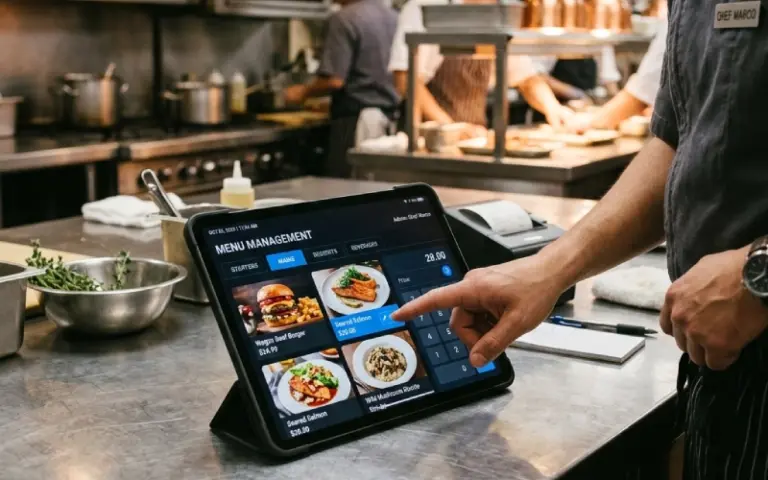
Menu Management
Add, update, and manage your entire menu across all locations in real time. Change prices, add seasonal specials, mark items as sold out, and organize by category — all without touching a printer.
- Multi-location menu sync
- Instant sold-out toggle
- Category & item organisation
- Image upload per dish
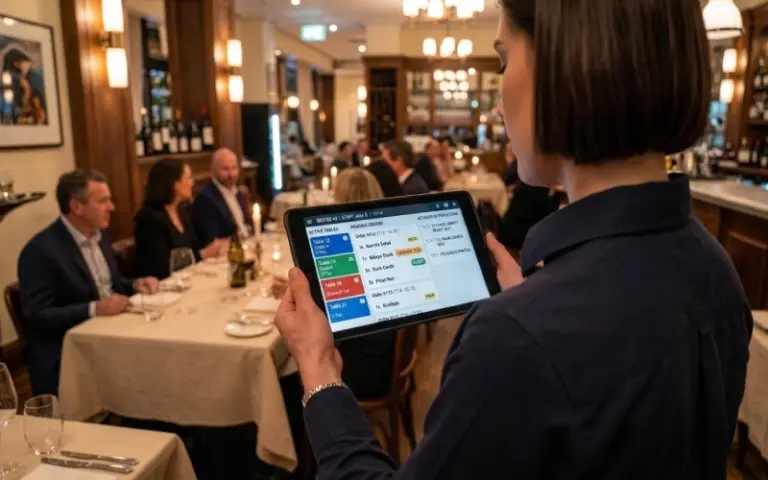
Order Management
Track every order seamlessly from table to kitchen. Monitor status in real time, reduce delays, and eliminate errors — the entire order lifecycle visible at a glance.
- Live order tracking
- Modifier support
- Status updates
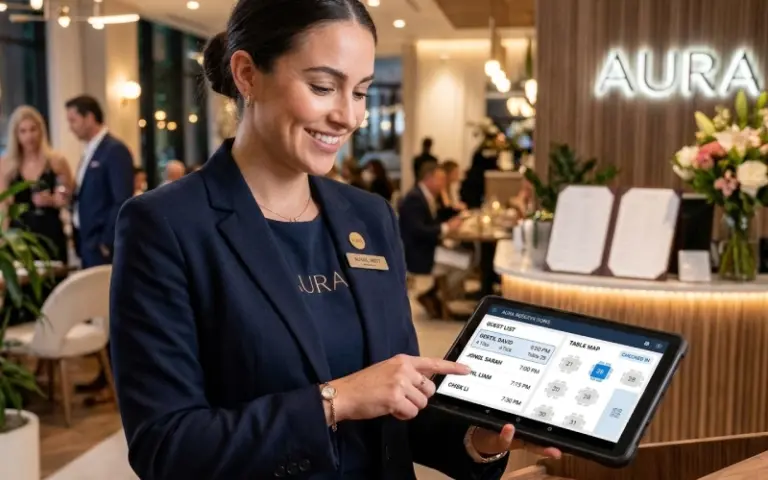
Table Reservations
Optimise seating with an advanced reservation system. Manage walk-ins alongside bookings for a smooth, stress-free front-of-house experience every service.
- Online booking
- Capacity control
- Guest notes
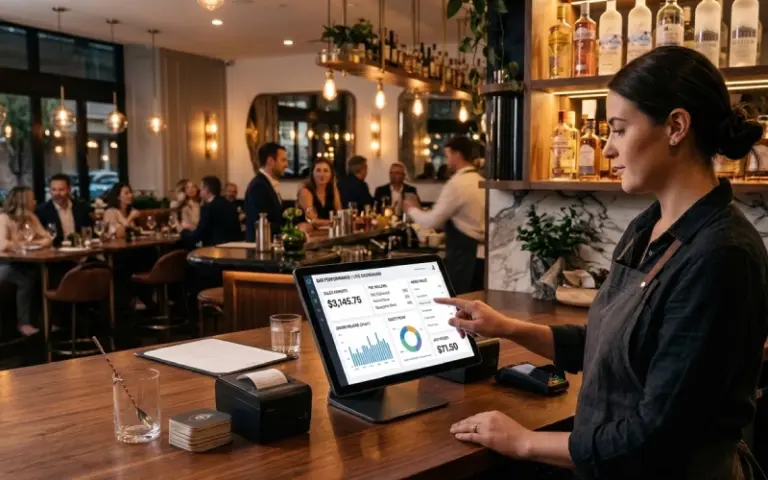
POS System
Process orders and payments with a reliable, fully integrated point-of-sale. Fast, intuitive, and built for the pace of a busy restaurant counter or table-side device.
- Split bills
- Multiple tenders
- Offline mode
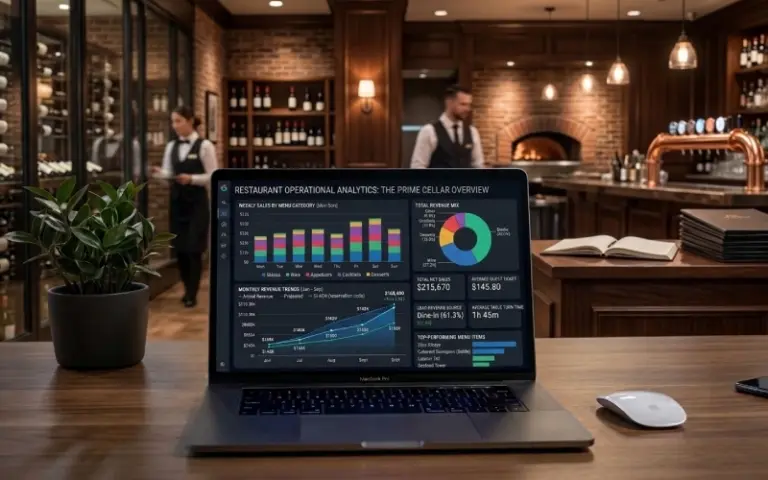
In-Depth Reports
Access detailed analytics covering sales performance, staff productivity, menu trends, and customer behaviour. Make decisions backed by real data, not guesswork.
- Sales reports
- Peak hour analysis
- Staff performance
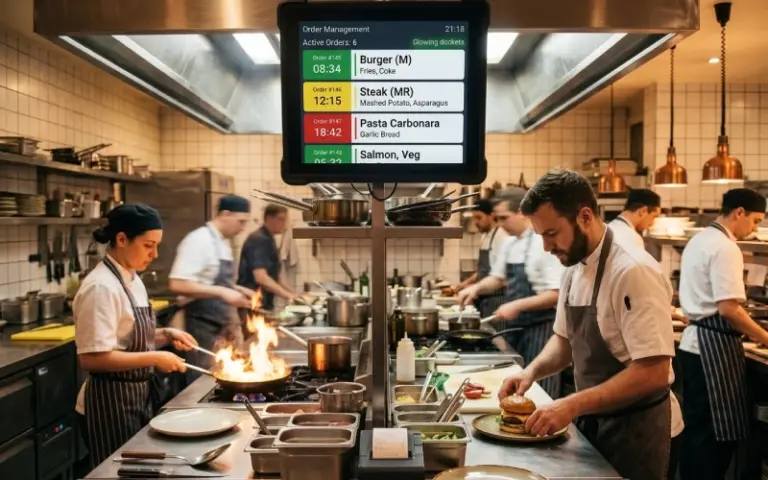
Kitchen Order Tickets (KOT)
Orders fire directly to the kitchen the moment they’re placed — no re-entry, no shouting, no lost tickets. Each KOT shows table number, order time, special instructions, and item status so kitchen staff always know exactly what’s needed.
- Instant kitchen display
- Priority order flagging
- Special instructions printed
- Multi-station routing
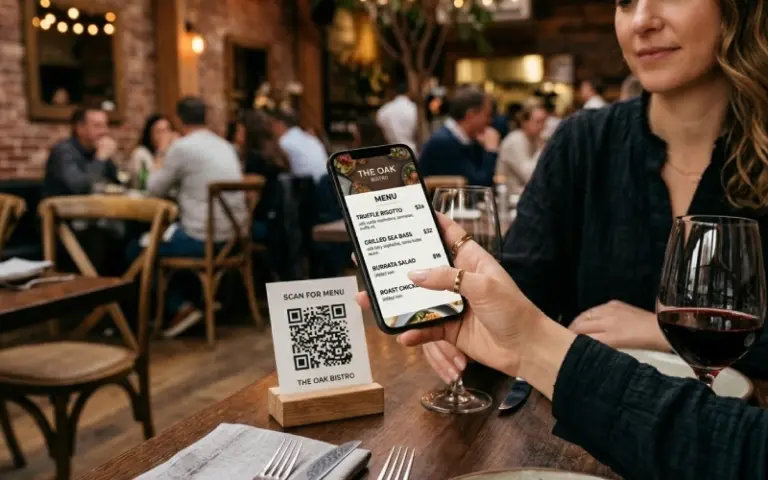
QR Code Menu & Orders
Offer contactless dining with QR code menus. Guests browse and order directly from their phones — reducing wait times, minimising contact, and freeing staff for higher-value service.
- Contactless dining
- Self-ordering
- Real-time menu sync
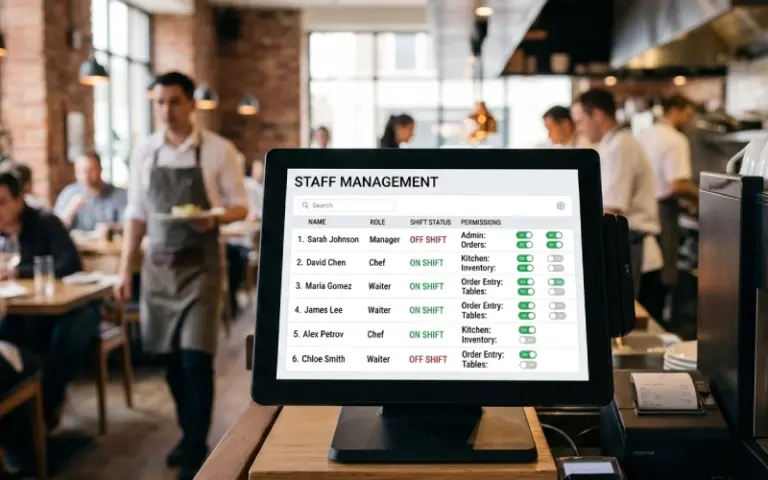
Staff Management & Permissions
Set granular permissions, assign roles, and manage schedules. Control exactly what each team member can see and do — from kitchen staff to front-of-house manager.
- Role-based access
- Activity logs
- Shift scheduling
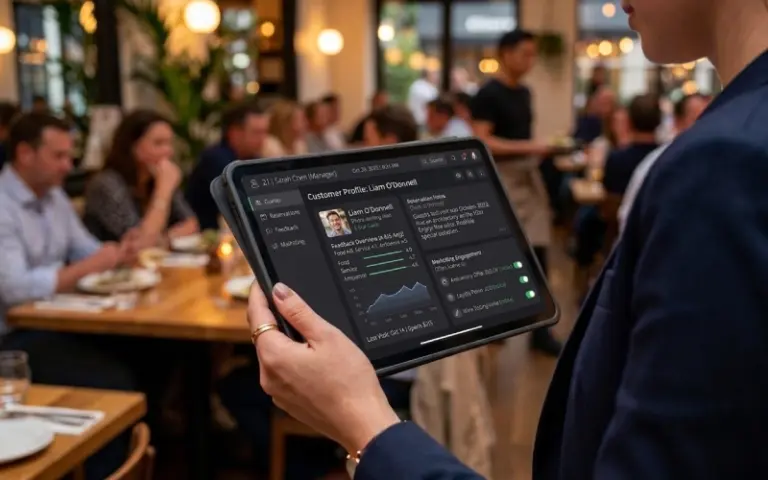
Customer Management
Build lasting loyalty with a rich customer database storing visit history, preferences, dietary notes, and feedback. Know every returning guest before they sit down.
- Guest profiles
- Preference notes
- Feedback tracking
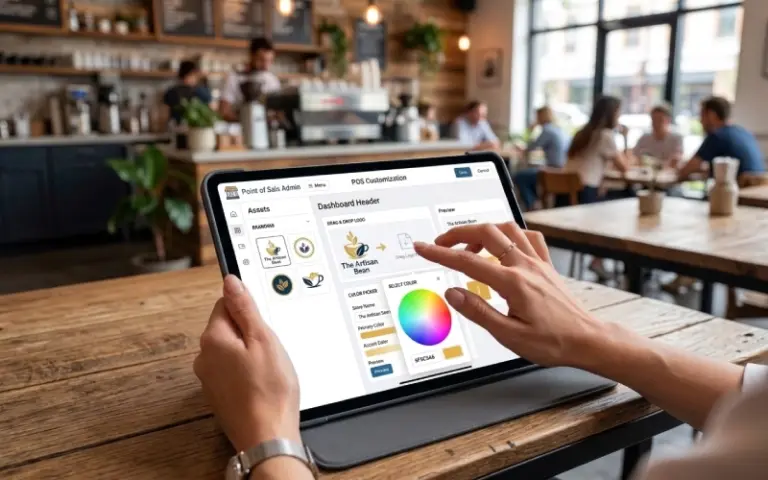
Theme & Brand Customisation
Create a cohesive brand presence across every touchpoint. Choose colours, upload your logo, set typography, and configure themes so every customer interaction feels unmistakably yours.
- Custom colour schemes
- Brand typography
- Logo placement
Hotel Management
Complete Hotel Operations
Three powerful hotel modules that integrate seamlessly with your restaurant — giving you a true all-in-one hospitality platform.
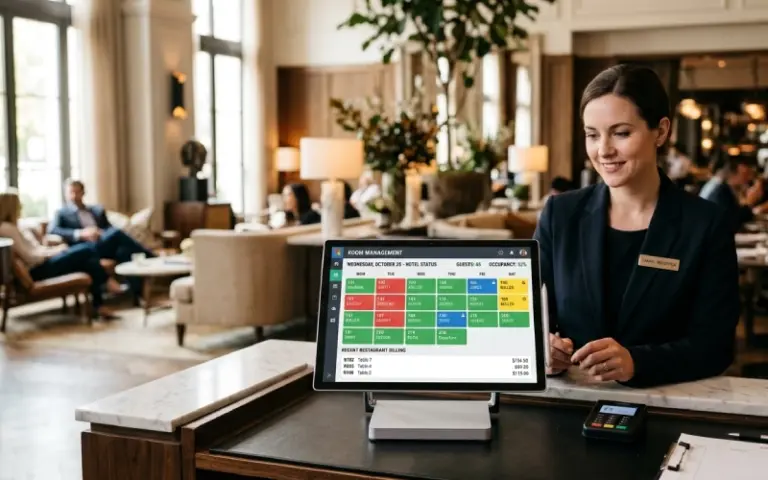
Room Management
Manage rooms, availability, guests, check-ins, check-outs, and pricing in real time from one cloud dashboard. Assign rooms easily, monitor occupancy, and reduce front-desk workload.
- Room availability view
- Check-in / check-out
- Guest assignment
- Room type management
- Occupancy tracking
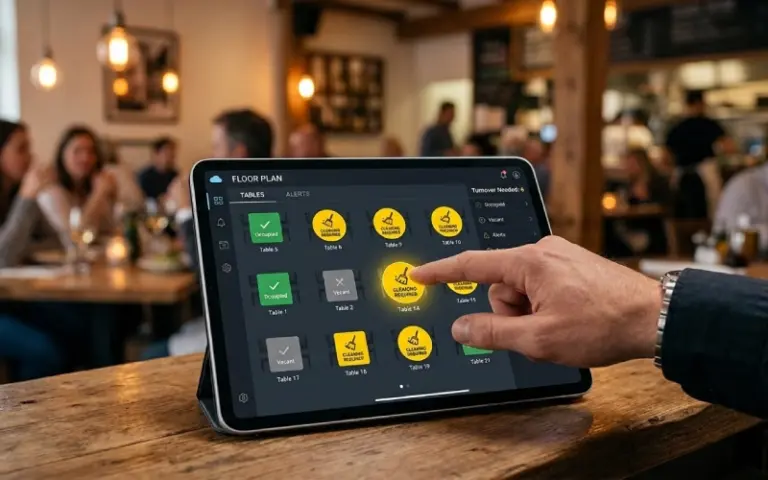
Cleaning Status Management
Keep housekeeping and front desk in sync with real-time room cleaning updates. Track rooms as Dirty, In Progress, Clean, or Inspected to speed up room turnover and ensure rooms are ready when guests arrive.
- Live status updates
- Turnaround tracking
- Dirty / Clean / Inspected
- Priority room flags
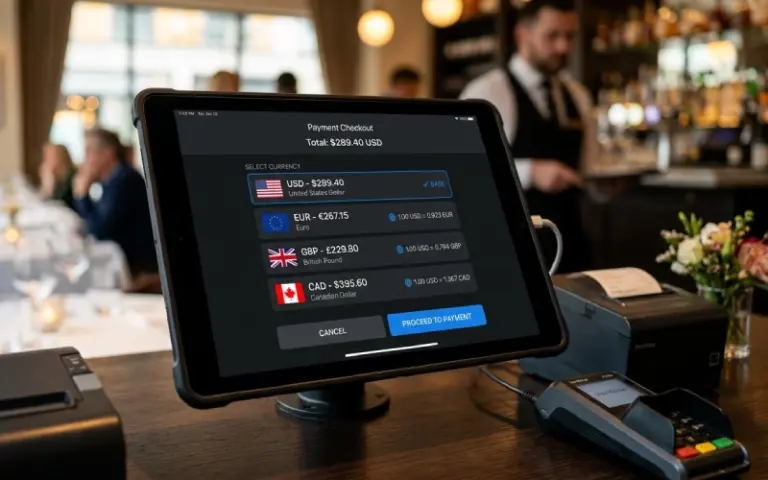
Currency Management
Manage multiple currencies with automatic exchange-rate conversion. Bill guests in their preferred currency while keeping accounting in your base currency.
- Multi-currency billing
- Auto-conversion
- Base currency reports
- Exchange rate config
Getting Started
Up and Running in Three Steps
No hardware to install, no IT team required. Stello360 is cloud-native and designed to be set up in a single working day.
Create Your Account
Sign up in under 2 minutes. Add your restaurant or hotel name, logo, and branding. Your dedicated cloud environment is ready instantly.
Configure Your Setup
Add your menu items, room types, tables, staff, and areas. Import existing data or start fresh with our guided setup wizard.
Go Live
Share QR codes with guests, brief your team on the dashboard, and start your first service. Live support is available from day one.
Customer Reviews
What Our Customers Say
Real feedback from real businesses running on Visiro POS every day.
Simple, transparent pricing
One Powerful Plan. Scale as You Grow.
Choose the plan that fits your operation. All plans include cloud hosting, automatic updates, and full data security.
Starting From
-
3 User Accounts Included
-
Inventory & Stock Management
-
Purchasing & Supplier Management
-
Accounts & Payment Tracking
-
Business Reports & Analytics
-
Cloud Backup & Software Updates
Customized Plan
-
Additional User Accounts
-
Multiple Branches & Stores
-
Higher Transaction Volumes
-
Custom Business Requirements
-
Dedicated Onboarding & Training
-
Priority Support Options
FAQ
Frequently Asked Questions
Everything hospitality owners ask before choosing Stello 360.
How does the QR code ordering work for guests?
Each table gets a unique QR code. When guests scan it with their phone camera, they’re taken directly to your branded digital menu — no app download needed. They can browse items, customise orders, add to cart, and submit their order. It fires directly to the kitchen display and appears in your POS in real time. The menu is always live-synced, so sold-out items disappear automatically.
Can I use Stello 360 for both a hotel and a restaurant in the same property?
Yes. The Hotel & Enterprise plan is built specifically for combined operations. Restaurant orders from in-house guests can be posted to their room account. Cleaning status, room management, and currency settings are all integrated with the restaurant modules — giving you one unified dashboard for the entire property.
How does cleaning status management work for housekeeping?
Housekeeping staff access a simple mobile-friendly view showing their assigned rooms. As they complete cleaning, they update status — Dirty, In Progress, Clean, or Inspected — directly from their phone. The front desk sees updates instantly on the room management dashboard. No calls, no walkie-talkies, no paper lists. Priority flags can be set for early check-in rooms that need faster turnaround.
Can I customise the customer order site to match my restaurant's brand?
Yes. You upload your logo, choose your colour scheme, set banner images, and configure fonts from the Theme & Brand Customisation module. The result is a fully branded digital ordering experience — not a generic platform page — that reflects your restaurant’s personality.
What kind of reports does Stello 360 provide?
TableCraft includes sales reports (daily, weekly, monthly), menu item performance, peak hour analysis, staff performance and commission reports, payment method breakdown, customer visit frequency, and occupancy reports for hotel operations. All reports are accessible from any device in real time and can be exported for accounting or ownership reviews.
Does Stello360 work on tablets and mobile devices?
Yes. TableCraft is fully cloud-based and works on any modern web browser — desktop, tablet, or mobile. Staff can use any device for order taking, kitchen displays, and housekeeping updates. The POS is optimised for tablet use at the counter and works equally well on a laptop or desktop at the manager’s station.